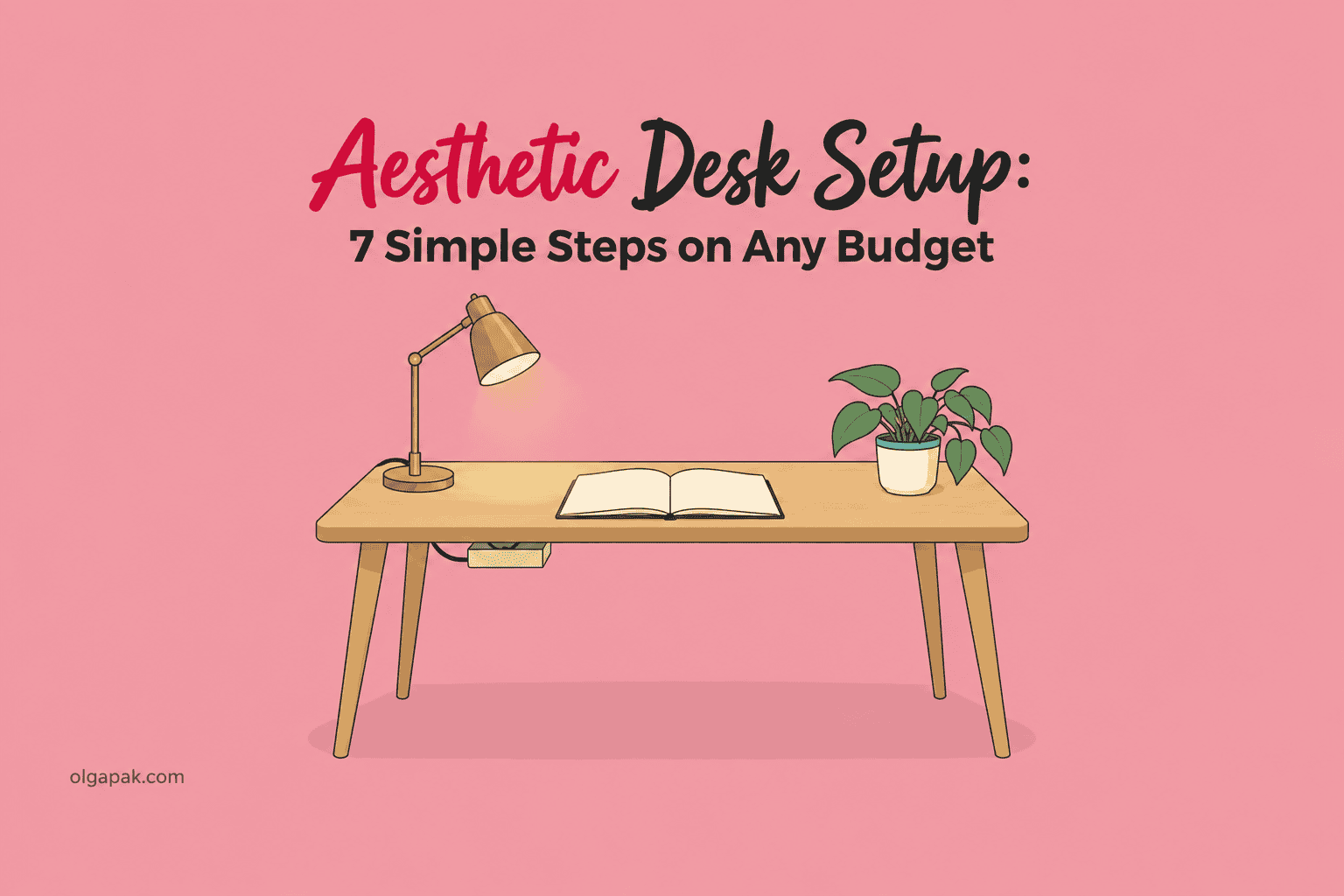
Aesthetic Desk Setup: 7 Simple Steps on Any Budget

You have a folder of saved photos, and not one of them looks like your actual desk. So let’s try a different way in: an aesthetic desk setup is seven decisions, not forty purchases.
I have worked from the same home desk through a career pivot, a Master’s, and a long stretch of building my own AI tools, and almost everything that made that desk better was something I took off it rather than something I bought.
This matters past how the desk photographs, because the surface you sit at all day quietly decides how much of your attention survives the day, which is the same argument I keep making about cutting down the hours you spend staring at a screen.
This guide walks through the seven decisions in order: what leaves the desk, where the cables go, where the light comes from, one palette, one living thing, where the phone lives, and the five-minute habit that keeps it looking like this.
Some links in this guide are affiliate links. As an Amazon Associate, I earn from qualifying purchases, at no extra cost to you.
Why your desk doesn’t look like the one you saved
The photo you saved was taken in a room you don’t have, after a tidy-up nobody photographed. That’s the gap. It isn’t a taste gap, and it usually isn’t a money gap either.
So I went looking for what people actually tell each other when someone posts a real desk and asks for help. On one of those threads, the top-voted reply wasn’t a product at all. It was this, from u/crusty1uk on r/battlestations: “Forget the lights, tidy all the workspace and then work from there. It will make a huge difference.” Across the five threads I read closely, decluttering out-ranked every product suggestion in three of them.
The budget objection is real too, and worth saying out loud. Under a post promising a premium-looking desk on a budget, the reply that landed hardest was @lakshyalark’s: “there’s no such thing as ‘budget’ in this economy.” Fair.
So here’s the honest deal for this post. It’s written for a small desk, possibly in a bedroom, possibly in a place you rent and can’t drill into. Three of the seven steps cost nothing at all. The rest come down to one decision each, and where I name something to buy, it’s one pick, not a shortlist. You won’t need all of them.
What’s left, then, if it isn’t taste and it isn’t money?
An aesthetic desk setup is a short list of decisions. It only looks like a long list of products because a long list of products is what’s easiest to sell you.
Step 1: Take everything off the desk first
Everything. The monitor can stay if it’s mounted, but the mugs, the papers, the chargers, the loose cables, the four pens, the thing you keep meaning to put away, all of it goes into a box on the floor.
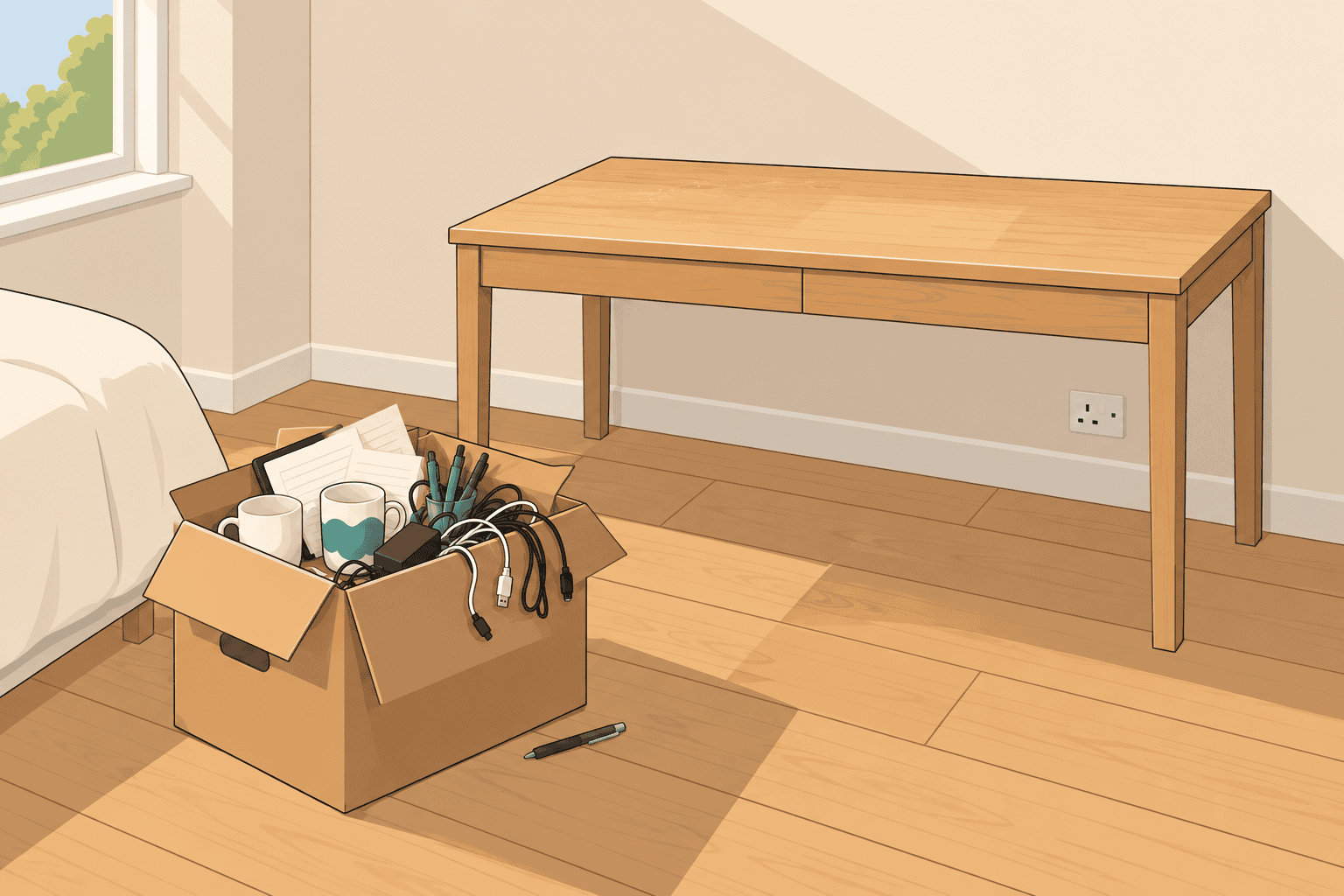
There’s a real reason an empty surface feels different, not just looks different. Vision researchers at Princeton describe how objects in view compete for neural representation and mutually suppress each other, which is a precise way of saying your visual system has a limited budget and every object on the desk spends some of it.
Now put back only what earns its way:
- The things you touch on a normal working day
- One thing to write with
- One drink
- Nothing else, not yet
The screen is the one exception worth fixing while the desk is empty. OSHA’s workstation guidance puts the top of the screen at or below eye level, at least 20 inches away, and a laptop on a bare desk sits nowhere near that. A Bamboo Monitor Stand Riser with Drawer is my pick because it’s the only thing in this post that settles two of the seven decisions at once: it lifts the screen, and the drawer swallows the small clutter with nowhere else to live.
If the box holds more than one drawer’s worth, the fix Reddit commenters keep handing each other is an IKEA ALEX drawer unit beside the desk. I’m naming it because readers recommend it, not because it’s linked here. It isn’t.
Step 2: Get the cables out of sight
Cables are what separate a photographed desk from a real one. Nothing else on this list is as invisible when it’s done right and as loud when it isn’t.
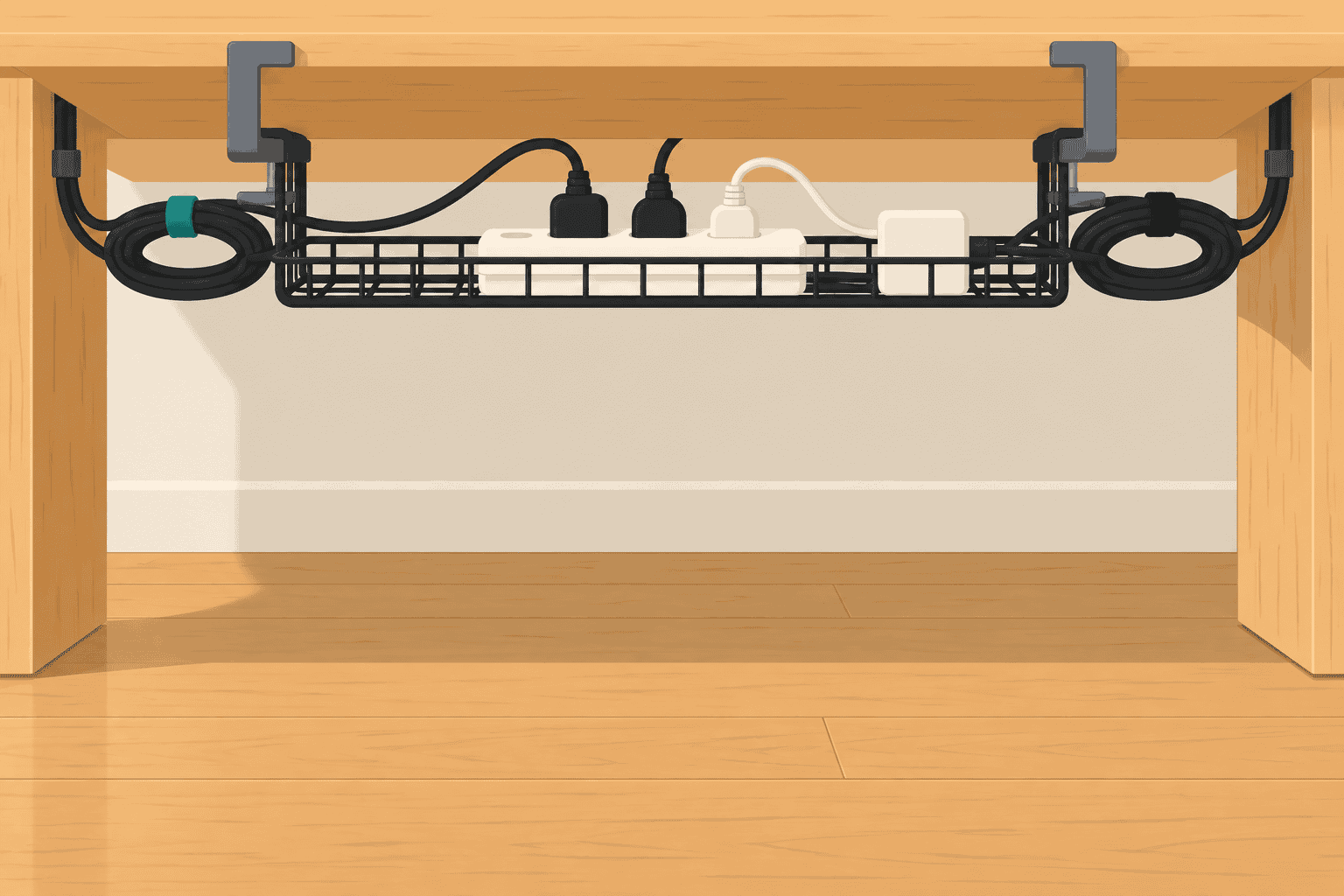
This was the most repeated single fix in everything I read. Cable management came up in three of the five Reddit threads I analysed, always as one of the first two suggestions offered. One commenter’s whole budget room plan, from u/gin_martini5, read as an order of operations, and step four was keeping the cords out of sight.
There are only three moves, and none of them needs a drill:
- Send every cable to one place instead of three
- Get the power strip off the floor
- Stop anything crossing the desk surface where you can see it
For the first two, a Univivi No Drill Under Desk Cable Management Tray does the job on a desk you don’t own, because it clamps rather than screws in. If your desk has no lip to clamp onto, a D-Line Cable Management Box hides the strip and its plugs on the floor instead, which is the same decision solved in a different room.
Then run whatever still has to reach the desk along one edge, behind the riser. This is the step people notice without being able to say why.
Step 3: Fix the light before you buy any decor
Your ceiling light is why the desk looks flat in photos and feels wrong at 9pm. It comes from directly above, hits everything equally, and flattens the surface into one grey plane.
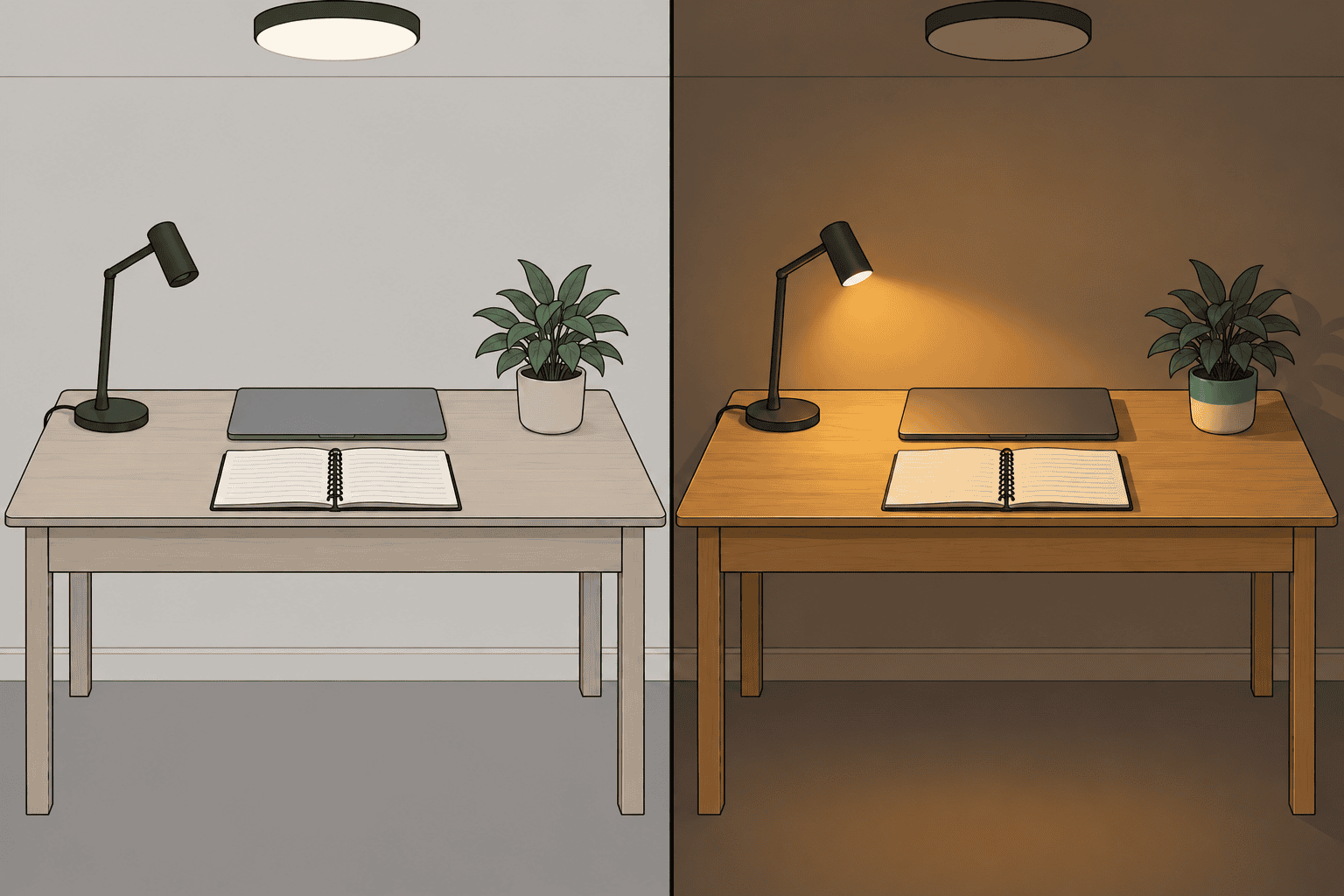
The fix is two sources instead of one, and one thing switched off:
- Whatever daylight the room already gives you
- One warm light at desk level
- Nothing overhead
That’s it. No string lights required, no LED strip behind the monitor unless you actually want one.
Where the screen sits matters as much as what you plug in. The same OSHA guidance I cited in Step 1 says to place the monitor perpendicular to the window, so the daylight arrives across the desk rather than straight into the screen or straight into your eyes. Facing a window means glare; backing onto one means a silhouette.
Then split the day. Cooler and brighter while you’re working, warm and low in the evening. That second half isn’t only a mood thing. NIOSH’s training material on light and circadian rhythm says blue light, or white light that contains it, triggers photoreceptors in the retina to suppress melatonin during the body’s sensitive periods, and that those same photoreceptors barely respond to yellow and orange. Which is the boring reason a warm lamp feels better at 9pm than the ceiling light does.
From my own experience, the tell that a room is too dark is that you keep nudging the screen brightness up. That’s a pattern I caught in myself, not a rule, and the fix was a lamp at desk level.
One pick covers both settings. A Honeywell LED Desk Lamp earns its place because it dims, which means one lamp does the working light and the evening light instead of you buying two.
Step 4: Pick one surface and one palette
Here’s the cheapest trick in this post, and understanding it costs nothing: mismatched objects look deliberate the moment they share one surface. A large mat under the keyboard, mouse and notebook turns four unrelated things into one block.
The rule the design write-ups keep repeating is to hold your accent colour to two or three items. Not the desk, not the mat, not the chair. A mug, a pen box, a plant pot. Everything else stays neutral and lets those three read as a choice.
A Nordik Felt Desk Mat is my pick, in a muted colourway, because it covers the whole working area and quiets the sound of a keyboard in a bedroom. If your palette runs darker and warmer, an Aothia Leather Desk Pad is the same decision in a different material, so pick the one that matches the room you already have rather than the one in the photo you saved.
Then the pen problem, which is its own small decision. Loose pens are the fastest way to make a cleared desk look cluttered again, because they never sit parallel to anything. Give them one home. A Black Walnut Wooden Pen and Pencil Box holds the ones you actually use, and if you’re not sure which of yours those are, I’ve written separately about the pens that earn their place.
Step 5: Add one living thing and one thing that’s yours
A desk with nothing personal on it doesn’t read as calm. It reads as a showroom, or somebody else’s desk that you’re borrowing.

Start with the plant, and let me be honest about the evidence, because this is where desk articles cheat. A single, widely repeated percentage follows plants around this topic, usually attached to well-being, concentration and productivity, and credited to one study in the National Library of Medicine’s archive. I opened that study. The number is not in it.
What it did find is more useful anyway. Researchers added plants to workspaces across nine Dutch organisations and tracked 18 outcomes. The workspace was rated more attractive and people were more satisfied with it, complaints about dry air went down, and the sense of privacy went up. On the other 13 outcomes, they measured no direct effect at all.
So a plant won’t make you work faster. It makes the desk feel like somewhere you want to sit, which is the whole point of this post. If your desk sits in a corner with no usable light, buy the fake one and don’t apologise: Mkono Fake Plants in Ceramic Pot comes with the pot, and a fake plant that admits it’s fake beats a real one you slowly kill.
Then one or two things that are actually yours, and people genuinely disagree about this. On one Reddit thread the top comment was a flat “Remove figurines lol”, while another argued you should “stick to what you love to maintain character in your space”. Both are right, in doses. Two objects kept on purpose look like character. Nine kept by accident look like a shelf. If one of them is a notebook worth leaving out, it earns its spot twice over.
Step 6: Give your phone somewhere else to live
Here’s the decision none of the desk-setup articles I read makes: the biggest problem on most desks is a phone lying face-up next to the keyboard. It’s visual clutter with a battery, and every notification it shows is a small negotiation you have to win again.
So where should it go?
Anywhere that isn’t the surface you work on, and ideally not the room you work in. The riser drawer from Step 1 is a good answer: two seconds away when you need it, invisible when you don’t. A shelf across the room is better. The kitchen is better still.
A few homes that work, roughly in order of how much they help:
- Another room entirely, face down, on silent
- A shelf or windowsill you’d have to stand up to reach
- The riser drawer, closed
- Anywhere on the desk, face down, which is the weakest of the four
None of this is willpower. It’s geography: put the phone where reaching it costs a decision rather than a glance. That’s the same move I argue for when people want to stop doomscrolling, and it works at a desk for the same reason. A desk that looks calm and a desk that keeps you focused turn out to be the same desk.
Step 7: Build the five-minute reset that keeps it this way
Setting a desk up once is the easy part. Everyone in my research already knew that, including @TwiztidShot: “It’s always a matter of time before my desk takes its original form as a catch all everytime I reorganize.”
The fix is small and it has to be attached to something that already happens, or it won’t survive the week. Mine runs at the end of the last work block of the day, which takes about five minutes:
- Everything that isn’t a daily item goes back in the drawer
- Mugs and glasses leave the room
- Papers get one pile, not four
- The lamp goes to its evening setting
- The phone goes to its home
That’s it. Five moves, and the desk starts tomorrow the way it looked in the photo you were going to take today.
One more thing, and it matters more than the list: you’re allowed to let the desk turn into a mess while work is happening. Three notebooks open mid-project is a desk being used. The reset belongs at the end of a block, not the middle, which is why tying it to how you already end a time blocking session beats promising yourself you’ll tidy as you go.
If you only buy three things
If you skimmed to here, fine, that’s what this section is for. Three of the seven decisions cost nothing: clear the surface, move the phone, do the reset. What’s left is the short shopping list, in the order I’d buy it.
- The Univivi No Drill Under Desk Cable Management Tray first, because hiding cables changes the most for the least, and it’s the fix Reddit gives before anything else.
- The Nordik Felt Desk Mat second, because one shared surface is what makes everything sitting on it look deliberate rather than accidental.
- The Honeywell LED Desk Lamp third, because the ceiling light is what makes a desk look flat, and a dimmable lamp fixes the working hours and the evening in one purchase.
Stop there. Buy them one at a time, live with each for a week, and see whether you still want the next.
Now protect the hours you spend at it
The desk is set up, and with the reset it stays that way. Which means the next constraint isn’t the room anymore. It’s what you spend the hours at that desk doing.
Mine used to go on the mundane end of it: a long read I had to boil down before I could use a word of it, an email rewritten four times, a term I had to go and look up mid-sentence. The Text Summarizer is one of the tools I built to claw that time back. If your hours at the desk leak the same way, try my free AI tools to automate the mundane and leave the desk for the work you cleared it for.
FAQ
How do I make my desk look aesthetic on a budget?
An aesthetic desk setup on a budget starts with the three steps that cost nothing: clear the surface and put back only what you use daily, move your phone somewhere that isn’t the desk, and build a five-minute end-of-day reset. When you do start spending, spend on cables before decor.
What should I actually keep on my desk?
Only the things you touch on an ordinary working day, plus one plant and one or two objects that are genuinely yours. Everything else belongs in a drawer. My test: if I haven’t picked something up in a week, it doesn’t live on the surface.
What is a minimalist desk setup?
A cleared surface where you store everything you use within reach instead of leaving it on display. It is not an empty desk. A minimalist desk still has the lamp, the notebook, the mug and the things you use daily, it just doesn’t have the eleven things you forgot to put away.
Do plants on a desk really make you more productive?
Not in the way the internet keeps claiming. A widely repeated percentage figure gets attached to plants, well-being and productivity, and it does not appear in the study it’s usually credited to. What that study found was that people rated the workspace as more attractive and were more satisfied with it, complained less about dry air, and reported a greater sense of privacy, with no direct effect on 13 of the 18 outcomes measured. A plant changes how the desk feels rather than how fast you work, and that’s reason enough to keep one.
How do I stop my desk getting messy again?
Attach a five-minute reset to something that already happens at the end of your day, like closing your last work block or shutting the laptop. And give yourself permission to be messy while work is in progress: the reset is for the end of a session, not the middle of one.