Rocketbook Review (2026): Great Notebook, Optional App

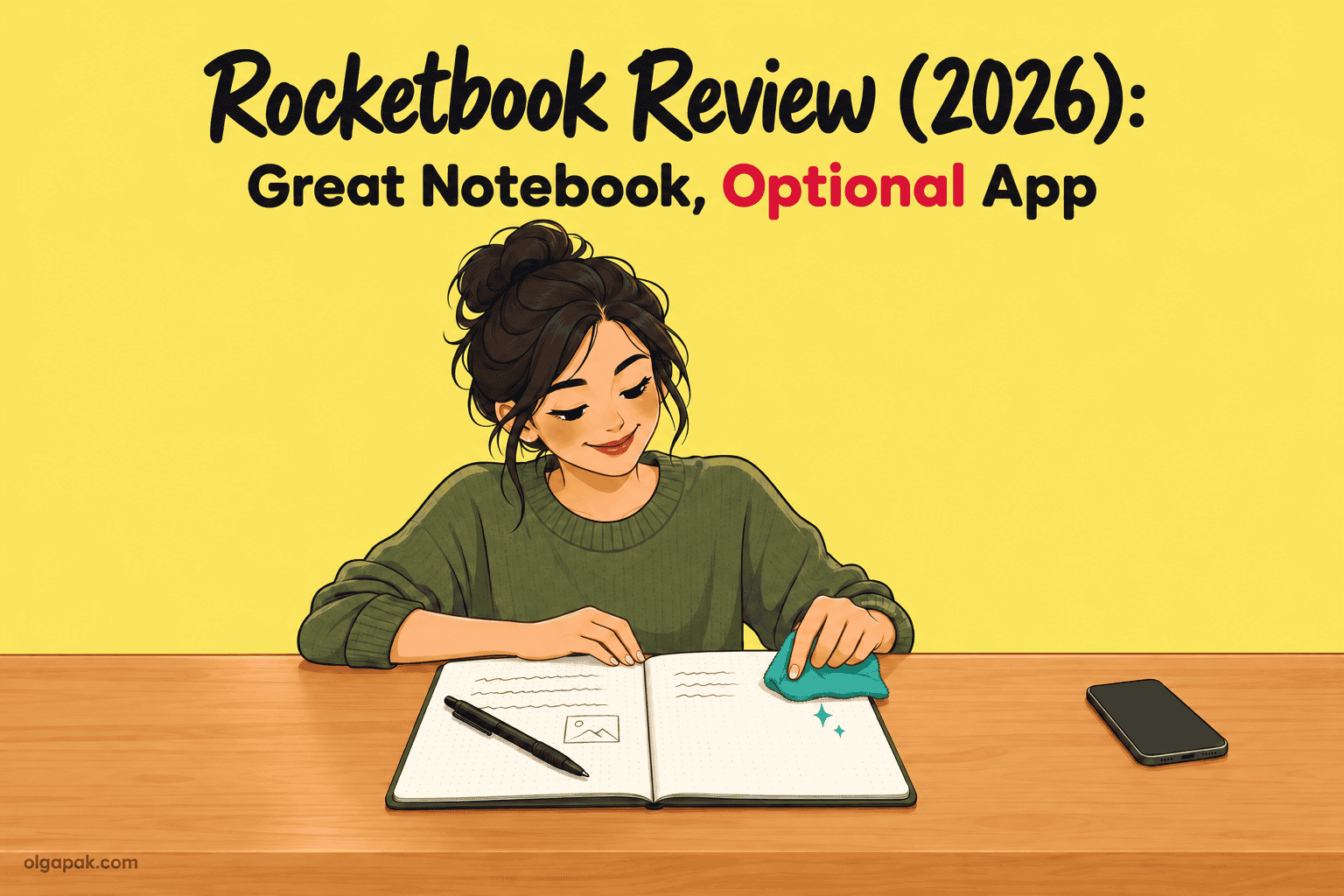
Is a Rocketbook worth it? In this Rocketbook review the short answer is yes, if you hand-write a lot and mainly want pages you can wipe and reuse. The scanning app is a nice extra that some long-term owners quietly stop opening. And if you write fast in lectures, skip it.
I relearned how to study during my Master’s after a decade in aviation PR. So yes, I’ve filled more notebooks than I’d like to admit, and I wanted to know whether this one actually earns its place on the desk. It’s already the “best reusable” pick in my roundup of the best notebooks for note-taking; this is the deep dive.
Below: which of the seven current notebooks to pick, what owners report after months of wiping, how fast you’ll go through FriXion pens, and who should skip it.
Some links in this guide are affiliate links. As an Amazon Associate, I earn from qualifying purchases, at no extra cost to you.
Key takeaways
- Worth it if you hand-write a lot and want reusable pages: the notebook is the product, and the app is optional.
- Start with the Core (32 or 36 pages, mid price tier); students who fill pages fast get the most room from the 70-page Multi Subject.
- You must use Pilot FriXion ink, and owners reported a pen lasting 3 to 4 weeks at heavy use (2021), so budget for refills.
- Wipe with a damp microfiber cloth, not the pen’s eraser, which Rocketbook says leaves residue that raises ghosting (faint traces of old ink).
- Skip it if you write fast in lectures, keep and revise old notes, or already photograph paper notes happily.
How I Evaluated It
This Rocketbook review is research-led, not a lab test. I built it on Rocketbook’s own US store, product pages and help-center guides for pens and care (checked October 2026), plus dated long-term owner reports from r/rocketbook and r/notebooks running from 2021 to 2025. I also held it to the same criteria I used in my notebooks roundup.
Here’s what I looked at, in this order:
- Erase and reuse: how wiping, ghosting and wear hold up over months.
- Pen dependence and running cost: what the FriXion-only rule means for your wallet.
- Writing feel and speed: page slickness, dry time and smudging.
- Digitizing: scan-to-cloud, handwriting-to-text, and whether owners keep using the app.
- Fit by model: size, page count and page layout.
- Price tier: against paper notebooks and e-ink tablets.
What a Rocketbook Actually Is
A Rocketbook is a notebook with special reusable pages. You write with a Pilot FriXion pen, scan the page with the free app to send it to Google Drive, OneNote, Dropbox, email and more, then wipe the page clean with a damp cloth.
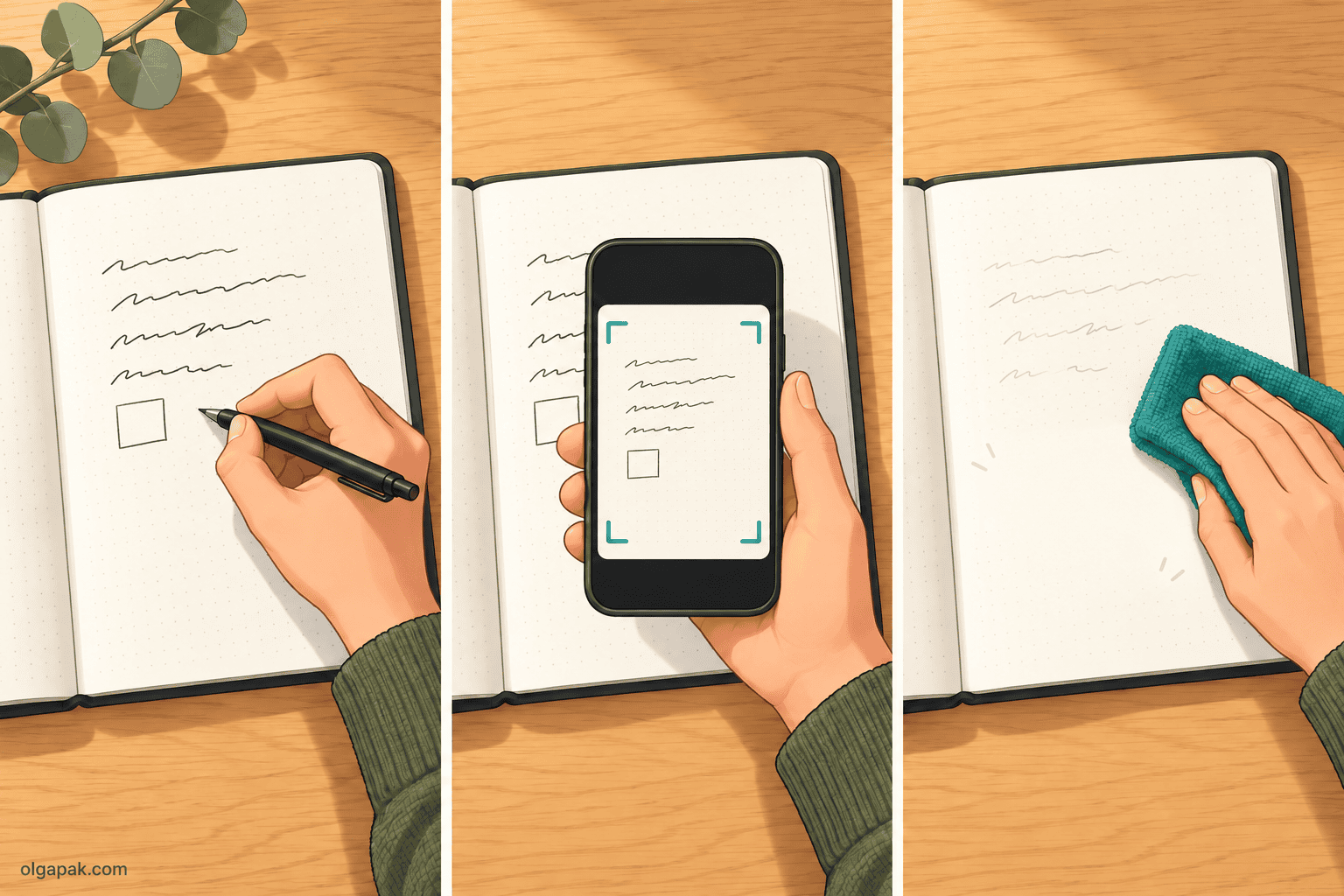
The pen isn’t optional. Rocketbook’s help center says its notebooks “are designed to be used with Pilot FriXion pens, markers, and highlighters,” because that ink lifts off the coated page with a bit of water.
You don’t start from zero, either. The Core ships with one FriXion pen and a microfiber cloth in the box, so you can write, scan and wipe on day one.
Which Rocketbook Should You Get? (The 2026 Lineup)
Rocketbook’s US store currently lists seven notebooks, and they differ more than the marketing photos suggest.
| Model | Size | Pages | Page style | Price tier | Best suited to |
|---|---|---|---|---|---|
| Mini | 3.5 x 5.5 in | 48 | dot grid | $ | pocket lists |
| Core | Letter / Executive | 32 / 36 | dot grid or lined | $$ | first Rocketbook |
| Flip | Letter / Executive, top-bound | 32 / 36 | dot, lined, blank mix | $$ | left-handers |
| Fusion | Letter / Executive | 42 | 7 planner and note styles | $$ | planner plus notes |
| Fusion Plus | Letter / Executive | 60 | 11 templates | $$$ | meetings and projects |
| Multi Subject | Letter | 70 | lined, 4 dividers | $$$ | students with several classes |
| Pro | Letter / Executive (7 x 9 in) | 40 (page pack) | lined / dot grid packs | $$$ | swappable page packs, hardcover |
Source: Rocketbook’s US store, October 2026.
So where do you start? The Core is the sensible first Rocketbook, and it starts at about $35 on Rocketbook’s US store (October 2026); check the current price before you buy. If you take notes for several classes, the Multi Subject gives you 70 lined pages and dividers for up to five sections, the most room in the lineup.
The rest are more specific:
- Flip: it’s top-bound, so your hand doesn’t drag across a spiral, which is why left-handers like it.
- Mini: a pocket notepad for lists and quick reminders, not real note-taking.
- Fusion and Fusion Plus: for planner people, with weekly, monthly and task pages next to the note pages. The Plus adds meeting-notes and project templates.
- Pro: a hardcover with swappable Page Packs, for when you want to refresh the pages without buying a new notebook.
One small tip: if you like custom layouts (a Cornell split, say), pick dot grid. It bends to any system; lined pages don’t.
What Works
The big win is simple. Reusable pages genuinely replace a stack of spiral notebooks, and if you scan or wipe as you go, one Rocketbook can carry you through a whole term.
You also keep the benefits of writing by hand. One r/notebooks owner put it bluntly in 2024: “Focus factor is 100% better than digital.” That matches what the research says about paper vs digital notes, and it’s the main reason I’d pick this over a tablet for studying.
When you do want a digital copy, the scan is quick. Here’s how one owner described it in 2025:
“I can use the Rocketbook app to scan the page – and 3 seconds later, it’s in OneNote, with my title on it.”
What else earns its keep?
- Better page feel, according to Rocketbook: the brand says its Next Gen pages (the current generation of the Core, Mini and Flip) have “improved pen to paper feel.” I’d treat that as a claim, not a promise (more on slickness below).
- A lineup that covers real needs: the top-bound Flip solves a genuine left-hander problem, and the Multi Subject’s 70 pages with dividers fit how students actually work.
- No dead notebooks: nothing half-used ends up in a drawer, because the pages come back blank.
What Does Not Work
Now the honest part. Most of the complaints owners raise trace back to the ink, and you can’t opt out of it.
FriXion lock-in. Rocketbook recommends only Pilot FriXion pens, markers and highlighters, and says other pens are “not recommended, as their ink is permanent and may not be removable.” Some owners experiment with other erasable inks anyway, but Rocketbook advises against it. If you love a particular gel pen, you’ll keep it for paper; my guide to the best pens for note-taking covers the ones worth carrying.
Dry time. FriXion ink sits on the coated page for about 10 to 20 seconds, by reviewers’ counts, before you can close the notebook or turn the page without smearing. A 2024 owner summed it up: “If you’re writing at speed, you’ll likely find the ink doesn’t dry in time.” Left-handers drag through wet ink too (the Flip helps).
Page feel. It’s slicker than good paper. My notebooks roundup already says the paper “feels a little slick under the pen,” and that’s the trade-off you sign up for with a coated, wipeable page.
Handwriting-to-text is never perfect. One owner was frank about it in 2024: the accuracy of the OCR was “never 100%”, and fixing it took so long “that I may as well have just taken the original note electronically.” (OCR is the feature that turns your handwriting into typed text.)
The same owner added: “I rarely even take pics of my RB pages anymore.”
The app has rough edges. One owner pointed out you can’t add to a note you’ve already scanned; rescanning creates a new note instead. Owners also call the app glitchy, and one 2025 thread agreed that the Rocketbook app “needs some love.”
Does any of this sink it? Nope. But it explains why so many owners end up treating the Rocketbook as a wipeable notebook first and a scanner second.
How It Holds Up Over Time
Ghosting, the faint shadow old ink leaves behind, is the thing everyone worries about. Good news first: minor ghosting is normal, says Rocketbook’s care guide, which puts it plainly: “Minor staining or ghosting is normal and won’t affect performance.”
So will the pages actually last?
Owner reports say yes, mostly. In a 2021 long-term thread, one owner described “moderate ghosting on most pages” after seven months, “invisible unless you’re inspecting it very, very closely,” plus one page that was “unusably damaged.” Another owner in the same 2021 thread used a Fusion heavily at work for 8 months with “no sign of coating wearing off.”
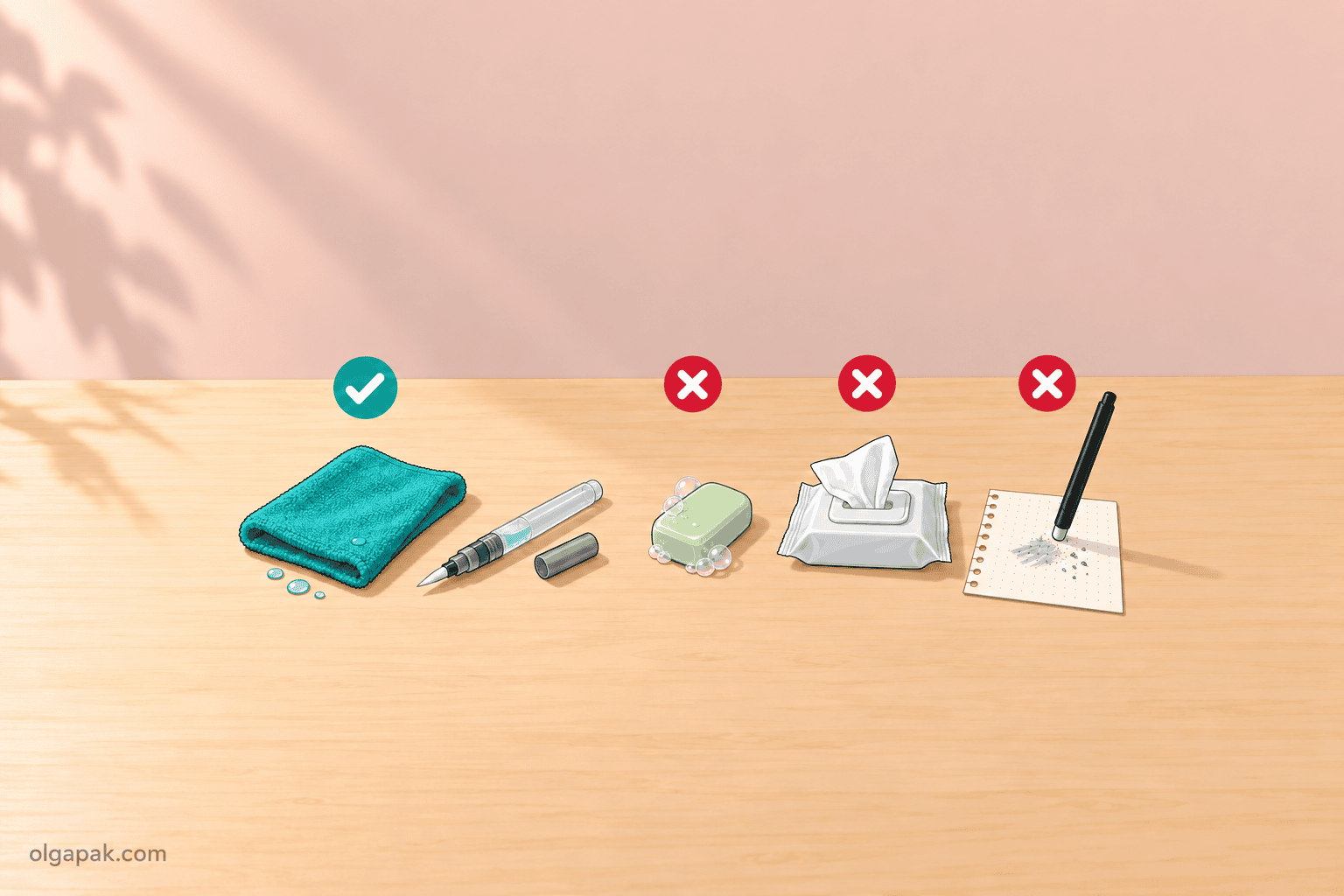
Care is what makes the difference. Here are the rules that matter, from Rocketbook’s care guide and owners:
- Use a damp microfiber cloth for whole pages. That’s Rocketbook’s recommendation.
- Go easy on the pen’s built-in eraser. It’s fine for gentle spot fixes, but Rocketbook says it “may leave residue behind,” which raises ghosting, so wipe the page afterwards.
- Rinse the cloth. “Make sure to rinse/ring out your microfiber towel so that it doesn’t just end up pushing ink around the page,” one owner advised in 2021.
- No soap, no wipes with oils or solvents, no ordinary sticky notes. Rocketbook’s care guide warns against all three.
- Let pages dry before closing, or they may stick together.
One more quirk: heat. FriXion ink turns invisible above 140°F, so a notebook left in a hot car can come back blank.
A few hours in the freezer often brings the writing back. Ink you’ve wiped off with water, though, is gone for good.
How Fast You Go Through Pens (and What That Means Over a Semester)
The Core comes with exactly one pen. That won’t last long.
In a 2021 long-term thread, one heavy user said: “The Frixion pens last me 3-4 weeks so be prepared to buy a lot of refills.” Another owner in the same thread went through 6 refills in 7 months. Ouch!
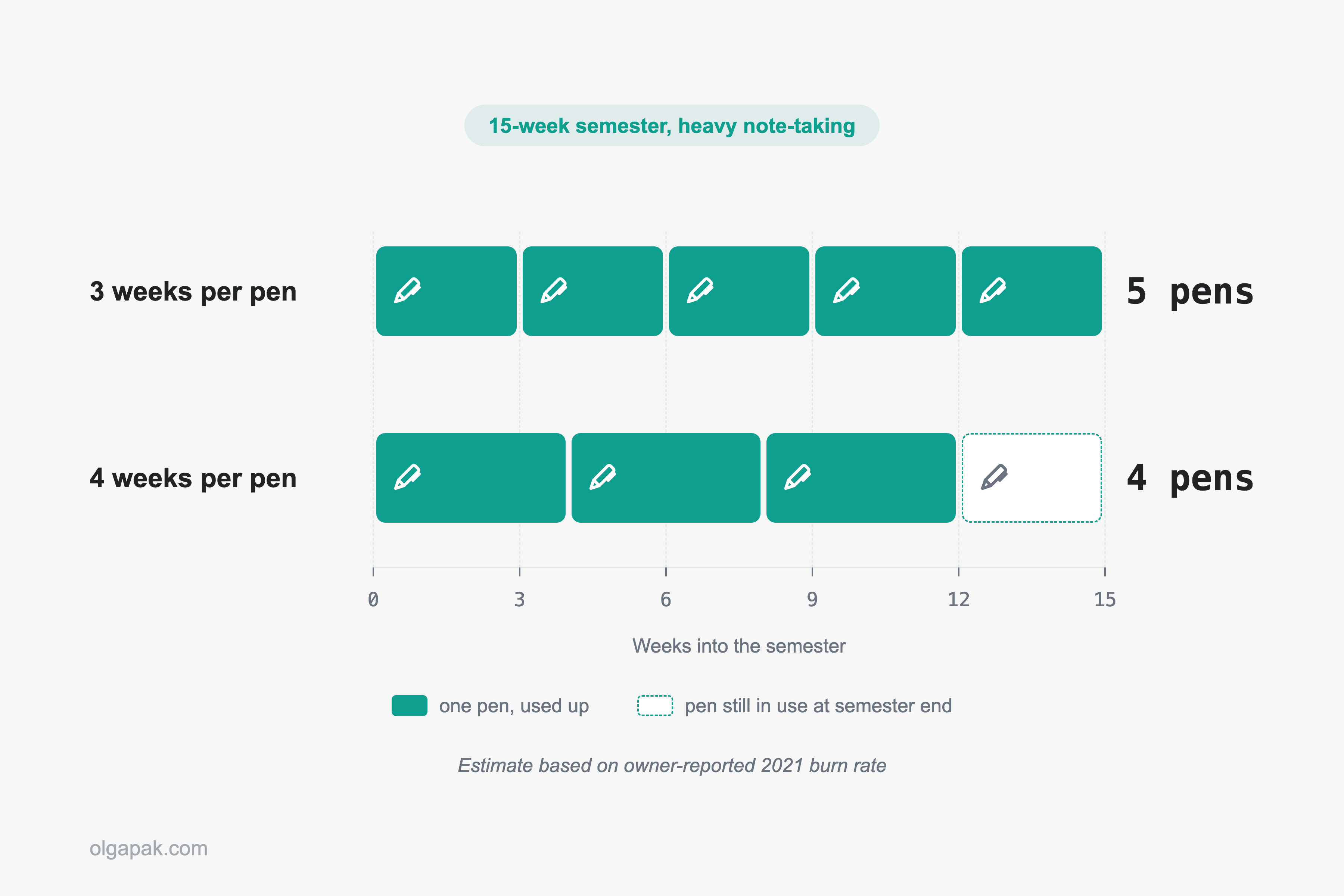
So what does that mean for a student? Here’s a rough estimate, by owners’ counts:
- A 15-week semester at 3 weeks per pen: about 5 pens.
- The same semester at 4 weeks per pen: about 4 pens.
- Cost: roughly $12 to $15, at Rocketbook’s October 2026 store price of $9 for a FriXion 3-pack.
One owner in that 2021 thread found that switching from 0.7 mm to 0.5 mm refills seemed to make them last longer and smudge less, so I’d grab a Pilot FriXion 0.5 mm 3-pack with the notebook rather than waiting for the first pen to die mid-lecture.
If you’d otherwise fill a fresh notebook every few weeks, the refills can still work out cheaper over a year. The pens are the running cost; the notebook isn’t.
Who It Is For (and Who Should Skip It)
Rocketbook
Best suited to students and early-career professionals who hand-write a lot, want one notebook instead of a stack, and are happy with FriXion pens and an occasional scan. The trade-off: you’re locked into FriXion ink, pages need 10 to 20 seconds to dry, and the paper feels slicker than a good notebook.
That’s roughly where the community lands too. As one r/notebooks owner advised in 2022: “Overall, I would definitely recommend that you at least get the core – it has blank and dotted pages – to see if you like it.”
It also shines for anyone who shares notes. One teacher on X described in 2019 scanning her class notes straight into the class learning platform each day, so absent students could catch up.
Not sure which side you’re on?
Skip it if you are:
- A fast note-taker in lectures who can’t wait for ink to dry.
- Someone who keeps and rereads years of notes, or revises notes after scanning them.
- Already happy photographing paper notes with your phone.
- Not keen on committing to one pen brand.
Still deciding what to actually write on those pages? My guide to note-taking methods will help you pick a system before you buy.
Rocketbook Alternatives
Not sold? Fair enough. Here are the three routes I’d look at instead.
A good paper notebook plus your phone’s scanner. It’s the cheapest option and the most paper-like, and it’s exactly what many Reddit skeptics recommend. Best for people who want real paper and only need a digital copy now and then. My best notebooks roundup has the picks.
An e-ink tablet. The reMarkable Paper Pro and the Kindle Scribe feel close to paper and make your notes searchable. The trade-offs: they’re a serious investment, they need charging, and some reMarkable features sit behind a subscription. Best for the reader who’s genuinely torn between paper and a screen.
An iPad with a stylus. If you want everything digital (notes, PDFs, slides, recordings in one place), this is the most flexible route. Best for students whose courses already live online; my guide to taking notes on an iPad walks through the setup.
So, Should You Get One?
If the verdict fits how you study or work, start small with the Core and see whether wiping and rewriting sticks for you. Check the Rocketbook Core’s price on Amazon, and add a pack of FriXion refills while you’re there.
And if you’d rather stay with paper, no shame in that. My best notebooks roundup has picks for every kind of note-taker.
FAQ
Is a Rocketbook worth it for college?
Yes, for students who hand-write a lot and don’t mind using FriXion pens. The Multi Subject (70 lined pages with dividers) suits several classes, and the Core is the easy starting point. If you write very fast in lectures, skip it, because the ink needs about 10 to 20 seconds to dry before you can turn the page.
Can you use any pen on a Rocketbook?
No. Rocketbook recommends only Pilot FriXion pens, markers and highlighters, because other inks are permanent on the page and may not wipe off.
How long does a Rocketbook last?
The pages are designed to be reused again and again. Owners in a 2021 long-term thread reported 7 to 8 months of heavy use with good care, usually with some cosmetic ghosting and the occasional damaged page. The pens are what you keep replacing, not the notebook.
How do I get rid of ghosting on a Rocketbook?
Wipe the whole page with a damp, rinsed microfiber cloth, and avoid soap and heavy use of the pen’s eraser, which can leave residue. Rocketbook says minor ghosting is normal and won’t affect how the page works.
Do you need the Rocketbook app?
No. The notebook works fine on its own; the app only scans your pages to the cloud. Some owners use it less over time and simply write and wipe.